NewAn AI assistant that gets tasks done for you
Run your publishing company, from statement to payout
Royalties, catalog, contracts and a songwriter portal in one system under your brand, plus an AI assistant that gets tasks done with your authorisation.Royalties, catalog, contracts and a songwriter portal under your brand, plus an AI that acts with your approval.
No credit card
With your own data
Environment under your brand
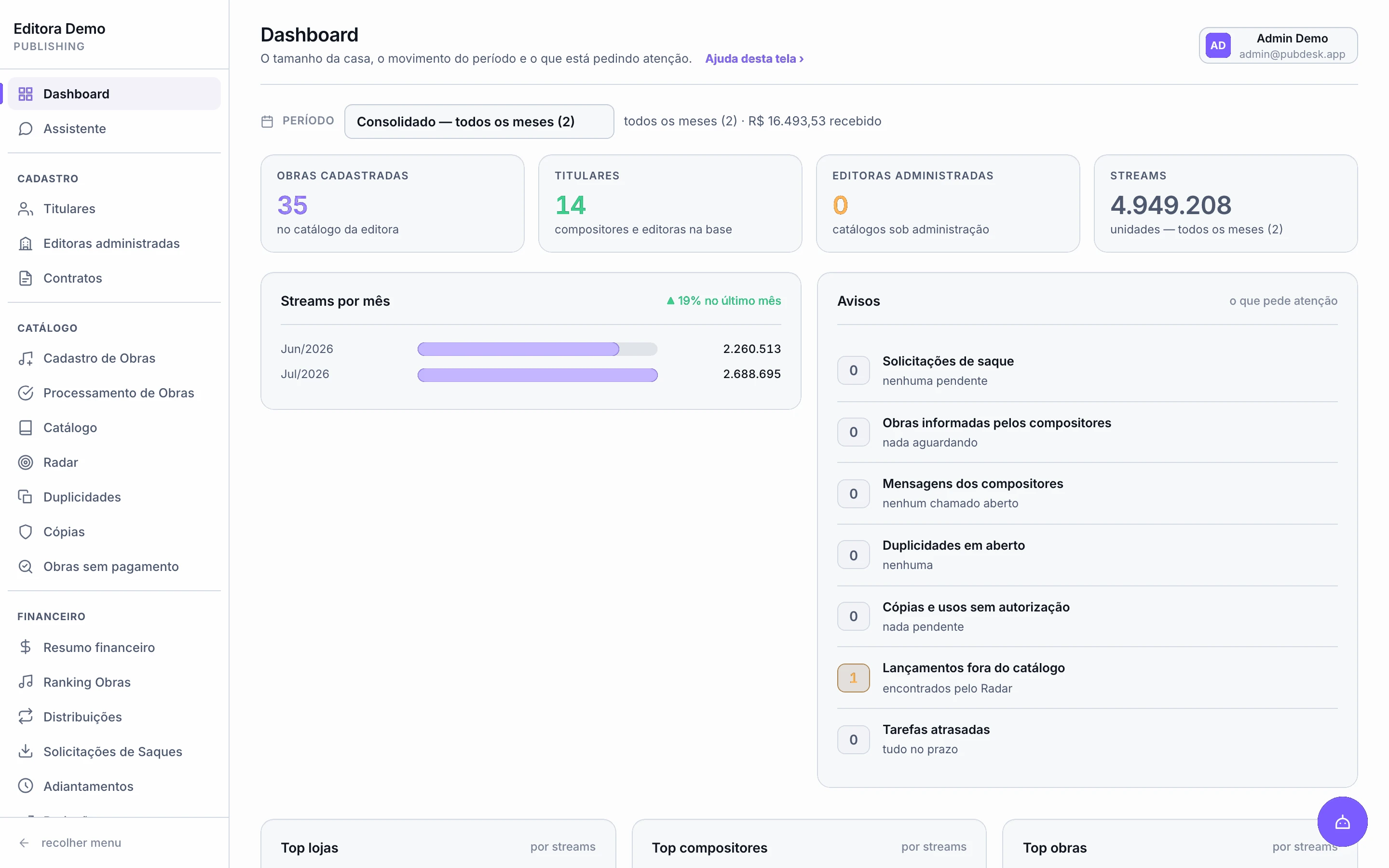
33screens — the whole back office, not one module
21actions the assistant carries out in the system
2 minto produce a contract from your own template
3languages: Portuguese, English and Spanish
100%white label: your logo, colours and domain
Registration files produced in the exact format each society requires
The problem
Even with a system, publishers still run on spreadsheets and email
A file with tens of thousands of lines arrives every month. Someone splits it by writer, applies each contract's rate, builds the reports and pays. Then registers works, closes contracts, fills cue sheets and answers writers — all by hand.
01
Nothing talks to anything
The same data is retyped in the spreadsheet, the society file, the contract and the writer's email.
02
Mistakes cost money
One formula dragged wrong changes a writer's payout — and nobody notices until they complain.
03
Late registration never comes back
A work registered past the deadline stops collecting, and that shows up in your revenue.
04
Nobody can see anything
The writer messages asking what they are owed, and someone on the team drops what they were doing to answer.
How it works
Statement to payment, with nothing retyped
What you enter once travels the whole cycle: into the calculation, the writer's report, the society file, the contract and the writer's own portal.
Start 5-day free trialNew statementRead
statement_jul2026.csvReading every store and territory
Period createdJul/2026
Stores in the file6
Process statement
Streams by store
Spotify1.069.562
Apple Music341.176
Amazon Music258.576
Deezer188.814
Jul/2026 · read line by line
Period splitCalculated
Due to rights holders
R$ 16.082,78
Rights holders10
PeriodJul/2026
Calculated byContract rate
See split by work
Largest payouts
MRMC Rafa PrimeR$ 3.841,84
MDMC DiguinR$ 2.910,20
BKBruna KellyR$ 2.104,55
Co-writer splits already applied
Release by store2 of 4
SpotifyR$ 2.845,56
Apple MusicR$ 1.482,74
Amazon MusicR$ 923,03
DeezerR$ 569,22
Process and release to rights holders
Held
R$ 1.492,25
Stays visible until the money lands
Amazon MusicR$ 923,03
DeezerR$ 569,22
MRMC Rafa PrimeWriter portal
Available to withdraw
R$ 3.841,84
Period report.xlsx
Works5
Request withdrawal
Royalty trend
Portal under your publisher's brand
Generate registration fileReady
CWR 2.1CWR 2.2SWISWR
Works selected22
Sent to societyBy email
Generate CWR 2.2
Batch status
File generated
Sent to the society
Status back in the catalog
Also visible in the writer's portal
- 01.
Import the statement
The administrator's file, every store and territory. Each month becomes a period in the system.
- 02.
The split is calculated
By work, by rights holder, by each contract's rate and by the split between co-writers.
- 03.
You release
Store by store, as the money actually lands. What is not released stays held.
- 04.
The writer gets paid
Sees the balance, downloads the report and requests a withdrawal — without asking anyone.
- 05.
The work is registered
The CWR or society sheet goes out, and the batch status comes back to the catalog.
The platform
Real screens from a publisher in operation
No illustrations. This is the system running, with a working publisher's data.
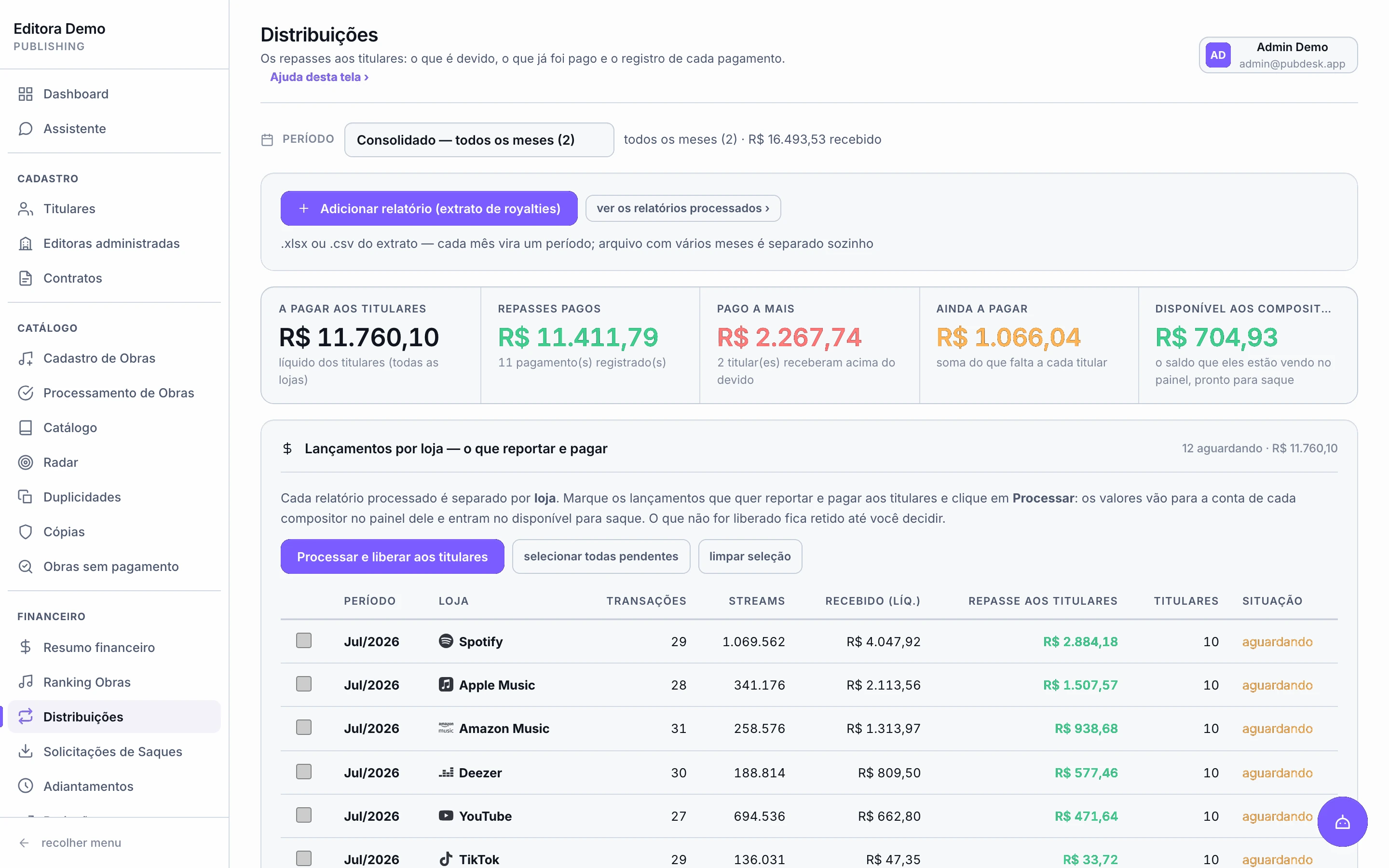
Finance
Release payouts store by store
The statement arrives all at once, but the money does not. Release what has landed — Spotify today, YouTube next week — and keep the rest held, visible and under control.
- Per-rights-holder calculation, at each contract's rate
- Advances and recoupment handled in the same place
- Line-by-line reconciliation between statement and payout
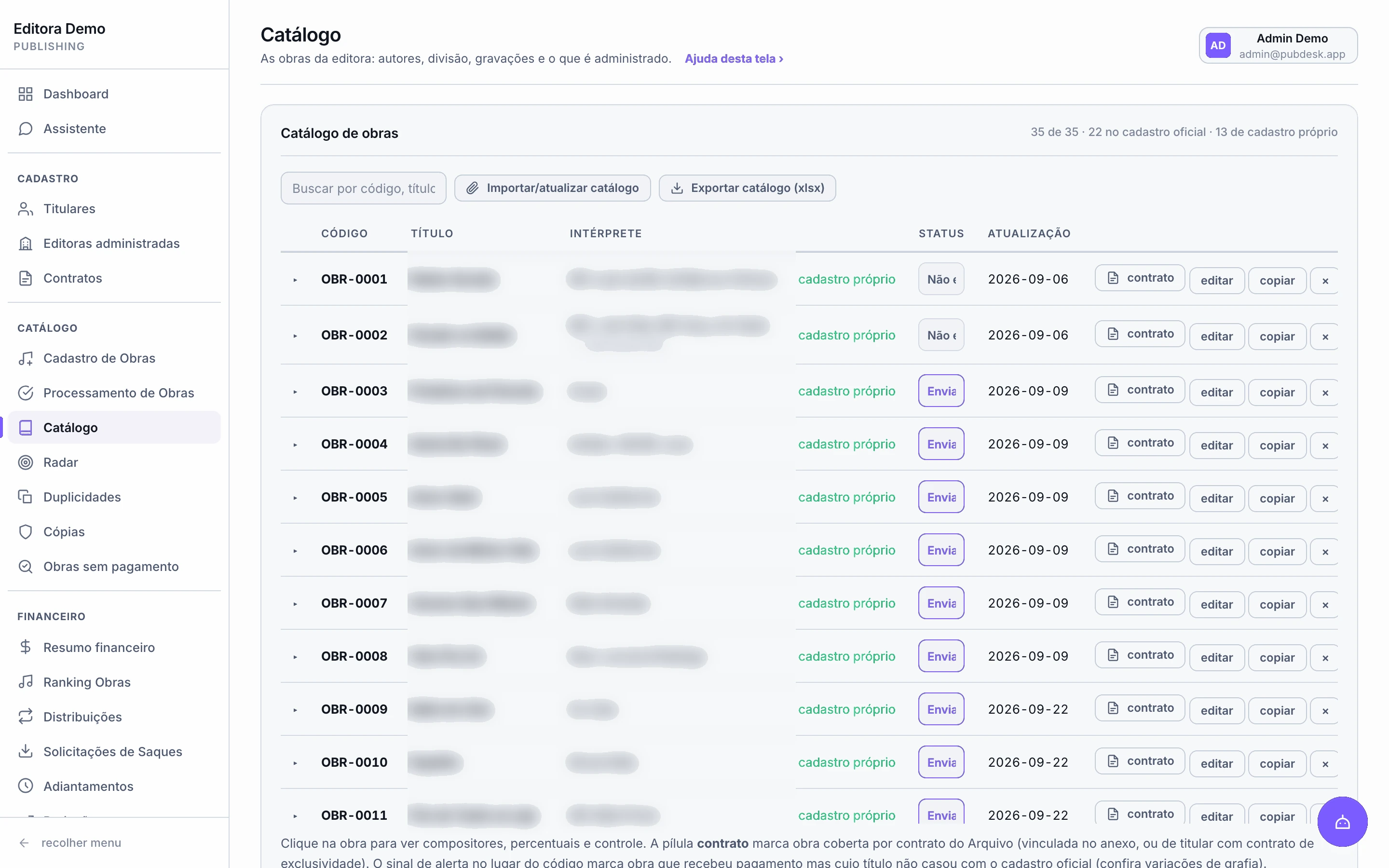
Catalog
The whole catalog in a single list
The publisher's works with writers, splits and recordings. Each row shows whether the work is already registered with the society and whether a contract backs it.
- Import or update the entire catalog from a spreadsheet
- Registration status work by work, right in the list
- Export to xlsx whenever you need it
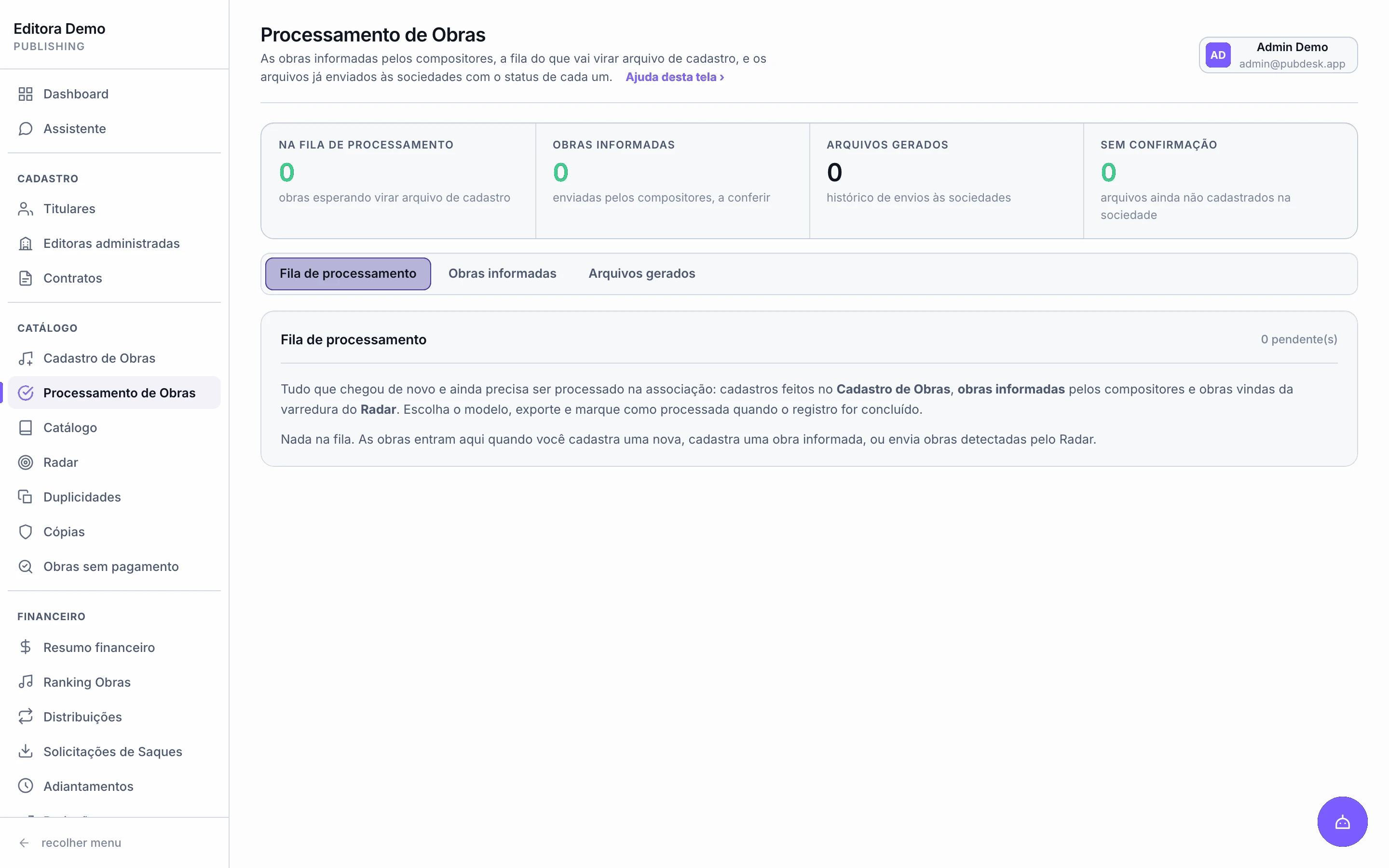
Processing
A work becomes a registration file in minutes
Pick the format, select the works, generate. CWR 2.1 and 2.2, SWI and SWI The MLC, SWR or the society sheet — in the exact shape the society demands, field by field.
- Batch status flows back to the catalog and the writer's portal
- Email it to the society, with the message already drafted
- Works submitted by your writers join the review queue
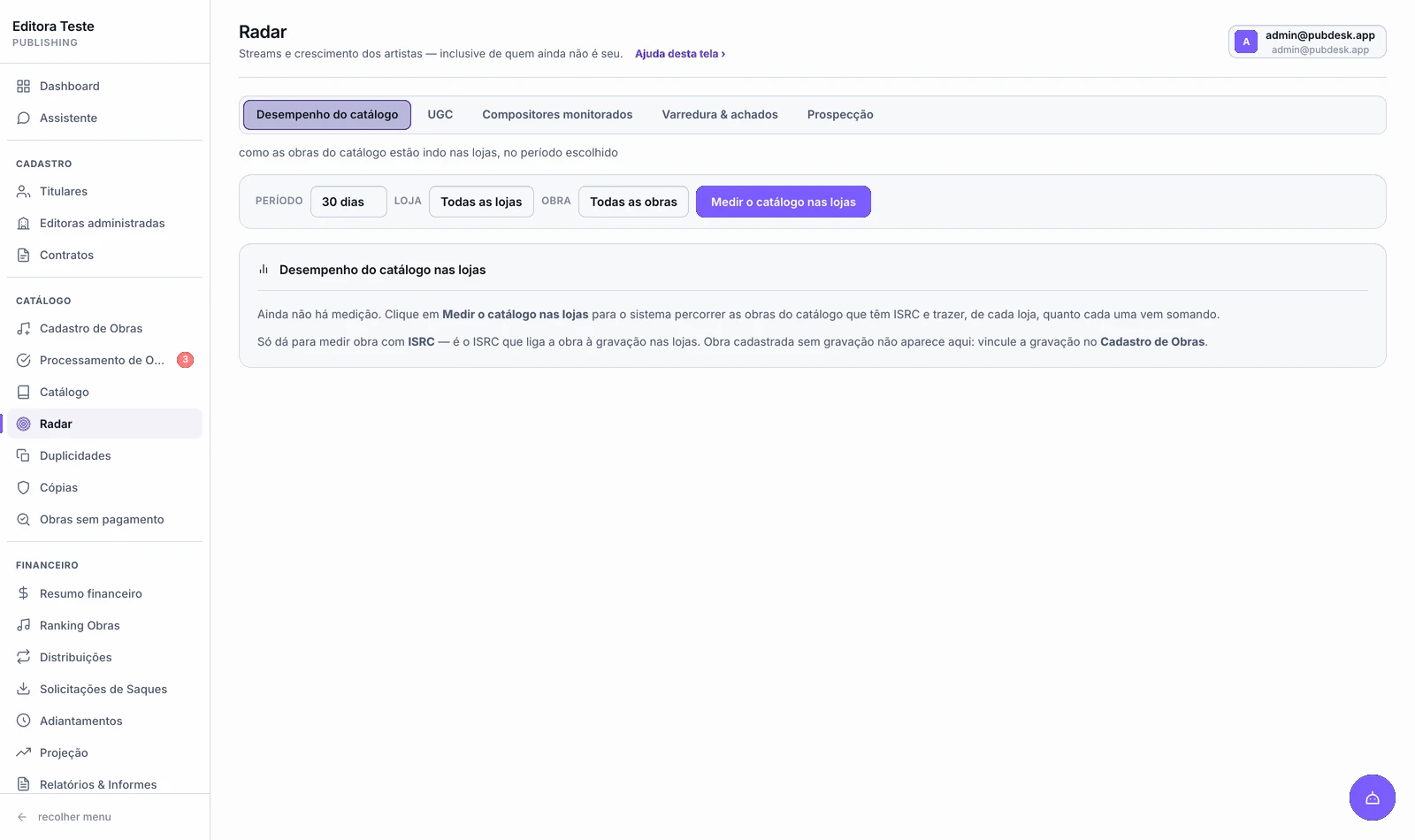
Radar
See what your catalog is doing right now
How much each work is playing in each store, over the period you choose — without waiting for the statement, which lands two or three months late. Plus what was released and never registered.
- Performance by work, by store and by period
- UGC use: videos and posts made with your music
- Your roster's releases that are not in the catalog yet
Contracts
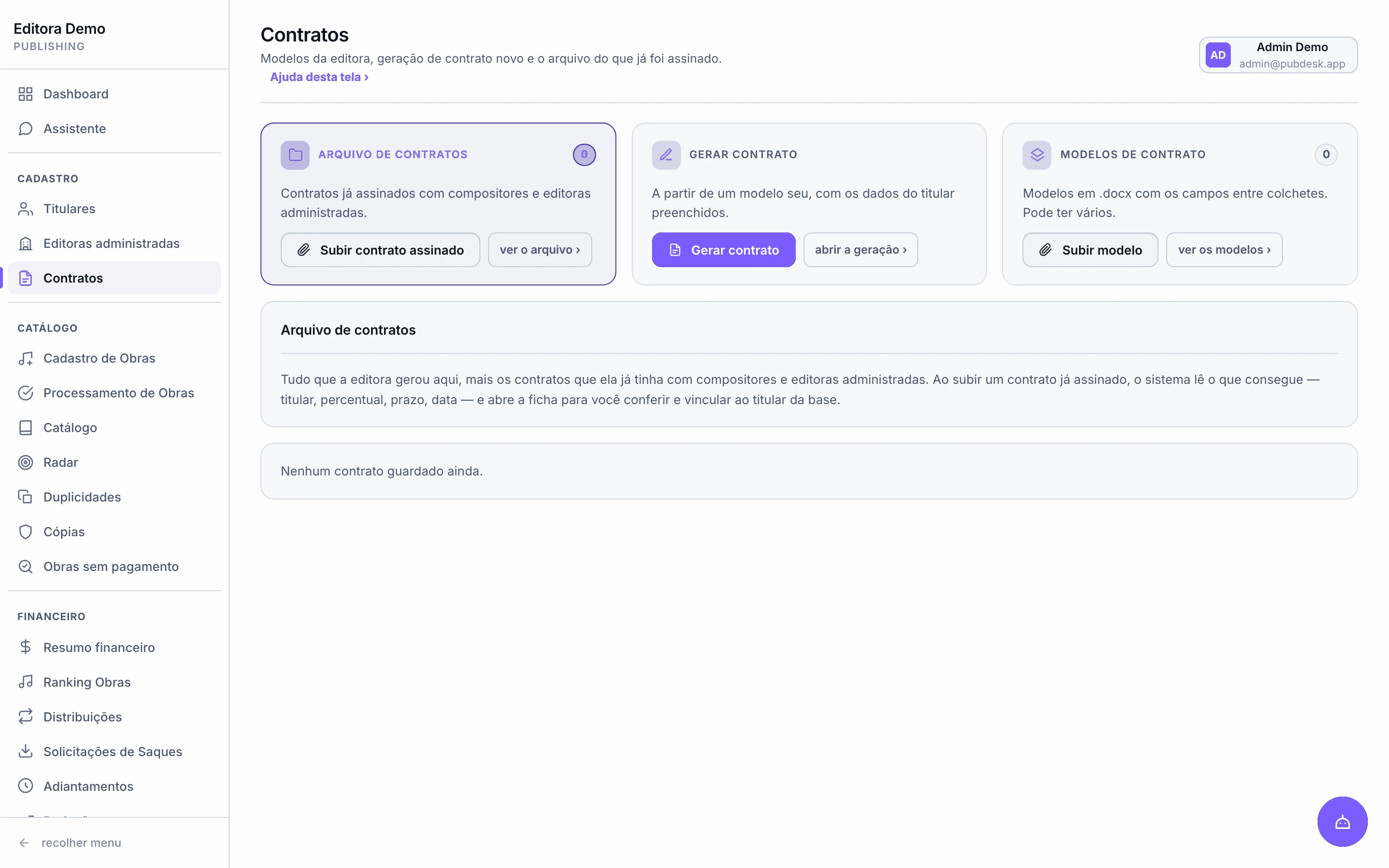
Two hours in Word become two minutes
Upload your own template once. The system reads its markers and only asks for what each contract needs. The rights holder and works go into the schedule, and the file comes out ready to sign.
- Your templates, not a standard contract of ours
- An archive of signed contracts, linked to rights holder and works
- The contract's rate feeds the payout calculation
AI assistant
A team member that gets things done, not just answers
Ask anything and the answer comes from your publisher's own figures. Ask for a task and the assistant carries it out inside the system — 24 tools, 21 of them able to act.
Questions about the assistant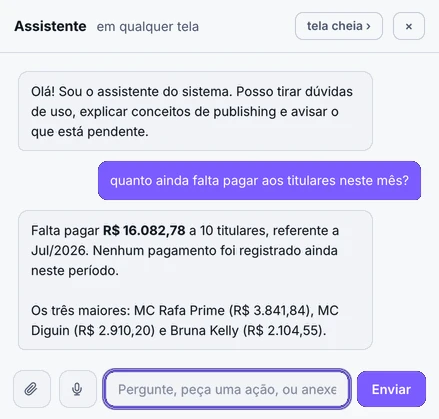
Answers
With your own figures
“How much is still owed this month?” comes back with the amount, how many rights holders and who the largest are — using the same calculations as the screens.
Acts
21 actions in the system
Processes statements, releases payouts, registers writers and works, posts advances, records payments and builds reports.
Handles people
Talks to your writers
Replies to tickets, sends portal access, returns works for correction explaining what is missing, and emails from the publisher's mailbox.
Documents
Reads and edits attachments
In a .docx it changes the requested passage while keeping the original formatting and signatures. If the passage isn't there, it says so instead of inventing one.
Control and safety
24
tools available to the assistant
21
of them take action inside the system, not just answer
0
actions without your approval
Anything that changes data becomes an authorisation card, already filled in, for you to approve or refuse. Operators cannot authorise what is reserved to administrators.
Takes voice commands
Record a voice note with what you need and the assistant prepares the task inside the system.
Copy control
Find unlicensed uses by the audio, even under another title
With today's volume of releases, tracking by hand who is using your works without a licence is close to impossible — and it is revenue leaving your company and your writer.
Uploaded audio
NOITE NA QUEBRADA - MC ZL.wavRecording copies · 2:36 audio
Matching against the global catalog
89 copies foundMatched by audio
72%
Vem Que Vem NovinhaDJ Riqueza RJ · 2024-03
1:52
60%
Noite na Quebrada (Áudio)Lipe nos Beats · 2022-02
1:33
48%
Batida Que Não ParaDJ Falcão MG · 2022-03
1:14
Usually you only find out once the track already has millions of streams. PubDesk identifies it by the audio and melody fingerprint: even if the title, the BPM or a sample changes, the copy is found.
One search, every detail gathered
What would take hours of research every month arrives in one click.
Gathered for every copy
Platform linksISRCUPCArtistLabelDistributor
Time
A working week that leaves your calendar
None of these tasks is difficult. All of them are slow, repetitive and easy to get wrong by hand.
| Task | By hand, today | With PubDesk |
|---|---|---|
| Closing the royalty month | 2 to 3 days checking a spreadsheet | Minutes — the statement becomes a period and a split |
| A statement for each writer | A day building one file per writer | One click — one .xlsx per rights holder |
| Drawing up a contract | 1 to 2 hours in Word, checking | 2 minutes from your own template |
| Producing the society file | Separate software, paid every month | Included — CWR, SWI and SWR |
| “How much am I owed?” | Email, spreadsheet search, reply | The writer checks it in their own portal |
| Forecasting next month's revenue | Not possible | A forecast built from real streams |
| Looking for unlicensed copies | Hours of manual searching, every month | A search by audio, with data and links gathered |
| Sync paperwork | Filling in field by field | Cue sheet in the official format, with the year's table |
The middle column is what a small publisher typically spends on these tasks, not a laboratory measurement. The right-hand column is what you can see in the screens above.
Songwriter portal
The argument that wins writers over
Each writer logs into a portal carrying your brand and finds what they used to have to ask for. When competing with a bigger publisher, transparency stops being a promise and becomes a screen they open on their phone.
Start 5-day free trial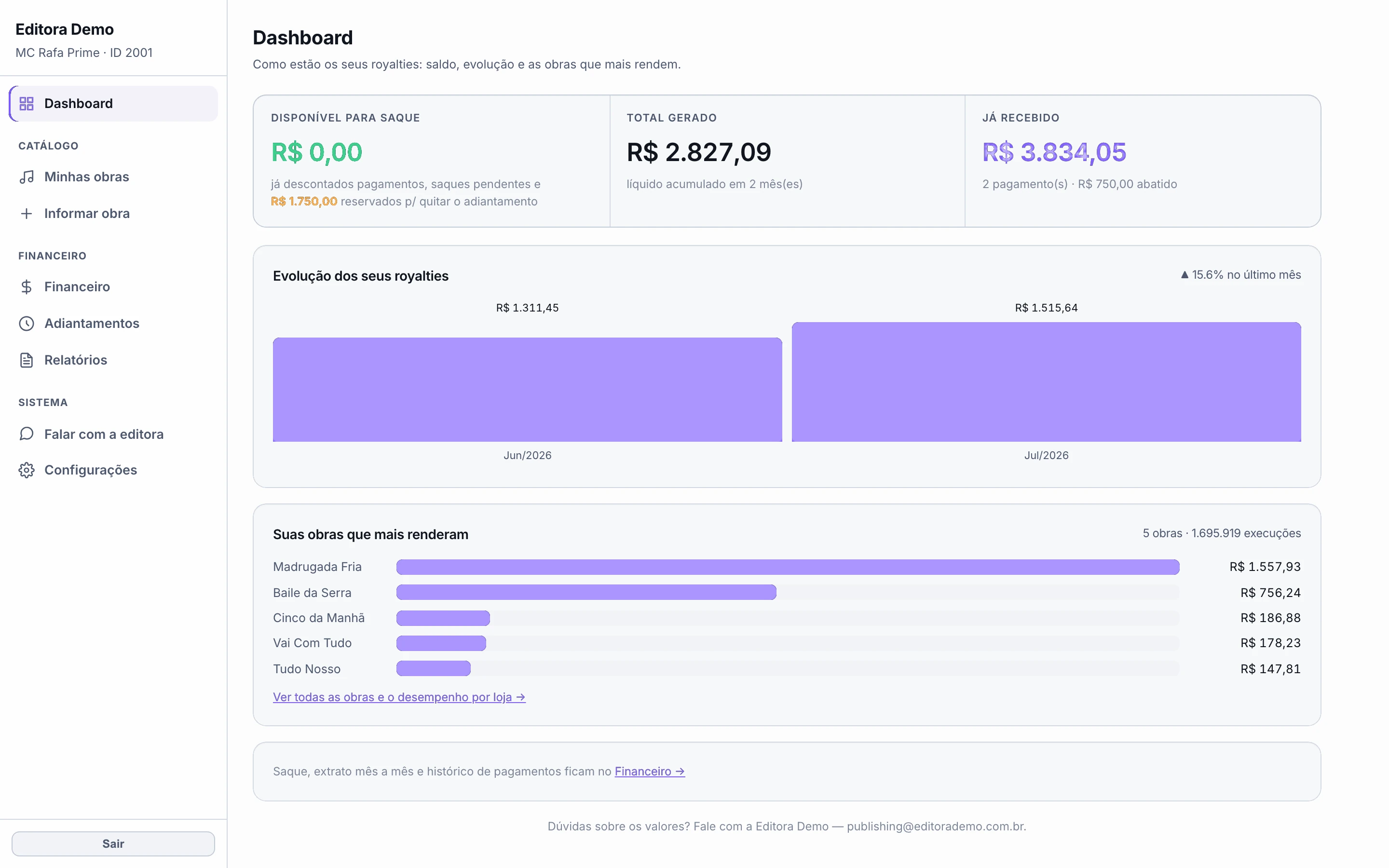
What each work earned and how it performs in stores

An Excel report for whatever period they choose
A direct channel to the publisher, with history
For you, fewer phone calls. For the writer, the difference between trusting you and not.
Features
Everything included in one platform
One system, one login. No module sold separately.
Statement processing
The administrator's file becomes a period, split by rights holder with line-by-line reconciliation.
Catalog and works
Writers, splits, recordings, ISWC and ISRC, with registration status at each society.
Bulk registration
CWR 2.1 and 2.2, SWI, SWI The MLC and SWR.
Songwriter portal
A writer area under your brand: balance, works, reports and withdrawal requests.
Catalog radar
Store performance, UGC use, releases missing from the catalog and prospecting for new writers.
Copy control
Audio fingerprint against the global base: where your work turned up unlicensed.
Contracts
Generated from your own templates, with works attached and an archive of what was signed.
Licensing
Cue sheets in the official format and broadcaster sync, with the year's rate card.
Public performance
The statement by revenue line and by work, compared against your catalog.
Revenue forecast
Where revenue is heading, from the streams already happening.
AI assistant
Answers with your own figures and carries out 21 actions — always on your authorisation.
Administered publishers
Third-party catalogs you administer, kept separate with their own rules.
Do I have to change administrator or society?
No. PubDesk reads the statement you already receive and produces files in the format your society already requires. Nothing changes in those relationships.
How does the 5-day trial work?
You get a complete environment under your own brand, with every tool switched on, and you upload your own statements or catalog. Within minutes you see the per-writer split, the reports and the writer portal with your own numbers. No card, no commitment: if it isn't for you, delete the account and pay nothing.
Does the songwriter see the PubDesk brand?
No. The writer portal carries your logo, your colours and your domain. To them, the system belongs to your publisher.
How many people on my team can use it?
As many as you need, each with their own login. An administrator decides what each person can do — run the day-to-day or also change rates, bank details and deletions.
What if I administer other publishers' catalogs?
That is native. Each administered publisher gets its own compartment, its own rate rules and its own reports, never mixed with your catalog.
Can I bring what I already have?
Yes. Rights holders, works, contracts and statement history come in at once, by spreadsheet or PDF. It is the way in for anyone migrating from another system.
What does it cost?
There is one plan, with every tool switched on — no reduced version, and nothing held back for a higher tier. What changes the price is how long you commit: the longer the cycle, the lower the monthly figure. Start the 5-day trial: we will talk numbers once you have seen the system running on your own data, and by then the conversation is about what it solves for you.
Can the assistant change my data on its own?
No. It reads freely, but every action that changes something — releasing a payout, registering a work, posting an advance, sending email — becomes an authorisation card with the details filled in. Without your click, nothing happens. And operators cannot authorise actions reserved to administrators.
How long does it take to get started?
The environment comes with your brand and you sign straight in. Uploading the first statement and seeing the split per rights holder takes minutes — it is the first step we suggest in the trial, because that is where the difference shows. An existing catalog and writers come in by spreadsheet.
Start here
Try PubDesk for 5 days with your publisher's data
A complete environment under your brand: upload a real statement and see the result.
How it starts
- 1You send the request
- 2We set up the environment under your brand
- 3You import a statement and see the split ready
- Every tool switched on, no restrictions
- No credit card and no commitment
- Catalog and rights holders imported by spreadsheet